
MS Solutions' document management system runs entirely within your Microsoft 365 environment — same login, same security, data stays in your Azure region. Implementation takes 2–4 weeks, and every employee with an existing Microsoft 365 license can access it at no additional cost.
Document Management System
Organized and automated document management
Find any documents in seconds. Approve and sign without email chains and printing. All within your Microsoft 365 and fully adaptable to your processes.
Trusted by:







10+ years experience · 100+ implementations · 30+ companies
Sound familiar?
Searching
The CEO urgently needs a contract. Nobody knows which folder it's in. File names are cryptic. The colleague who "knows where everything is" — is on vacation.
Excel tracking
Your document register is an Excel file maintained by one person. If they go on sick leave — the system stops. New employees don't know how to name files, where to save them, what to enter.
Working with documents
To edit a document — download, edit, upload back. Or send by email — and then nobody knows which version to trust. Duplicates, versions, overwritten changes.
Approval
A contract needs approval from three people. Sent by email. One forgets. Another edits a different version. Nobody knows who approved and who hasn't. Process status — in someone's head or buried in email.
Signing
Contract is ready. Now — print, sign, scan, send to the counterparty, wait, remind, receive back, manually save. Days or weeks.
01
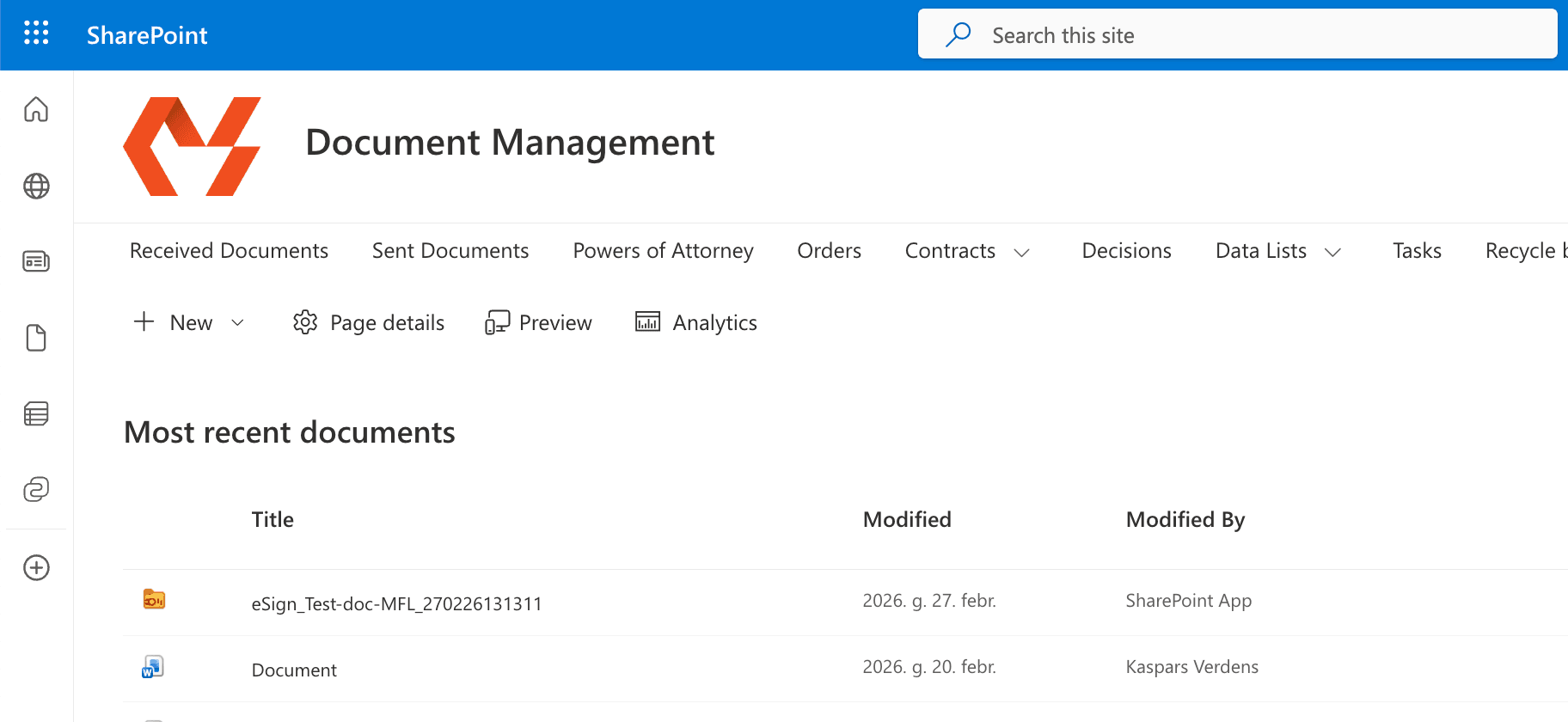
Not a new system. It's your SharePoint.
- Same M365 login, same security, same admin panel.
- Data stays in your Microsoft cloud — your environment, your chosen region, your compliance settings.
- Any employee with M365 Business Basic or Standard license can access it — no additional per-user fees.
- If you stop working with MS Solutions — everything stays. Your data, your system, your cloud.
02
The system adapts to your process. Not the other way around.
- Base solution works out of the box — proven structure used across 10+ companies.
- Every field, workflow, automation, and interface is changeable.
- Extend with Power Automate, connect to external systems (accounting, ERP) via API.
- Customize yourself, with MS Solutions, or with any other Microsoft 365 partner.
03
From document to signed — without printing, scanning, and waiting.
Create
Open a document, fill in the details, system assigns a number automatically.
Work
Edit, comment, convert to PDF — all in the system, no downloads. Assign tasks to colleagues — lawyer reviews the contract, colleague provides feedback.
Approve and sign
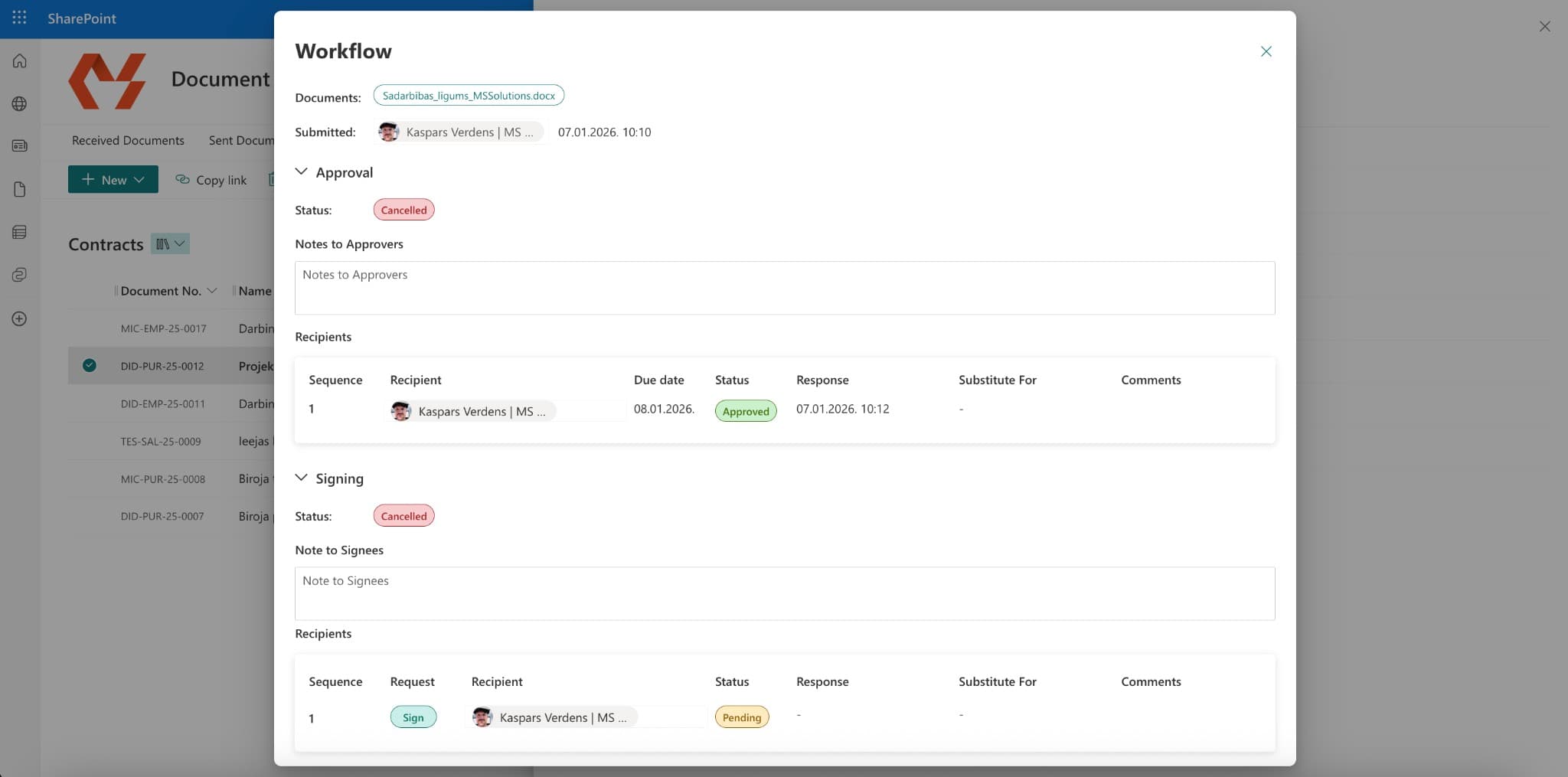
Send for approval and signing. System routes to all parties — internal and external. Sign electronically with eParaksts or Dokobit. Click submit, wait, done. Signed document returns to the system automatically.
Track
Monitor document statuses, receive automatic reminders about deadlines, filter and search by any parameter or document text.
What's included
Document Registers
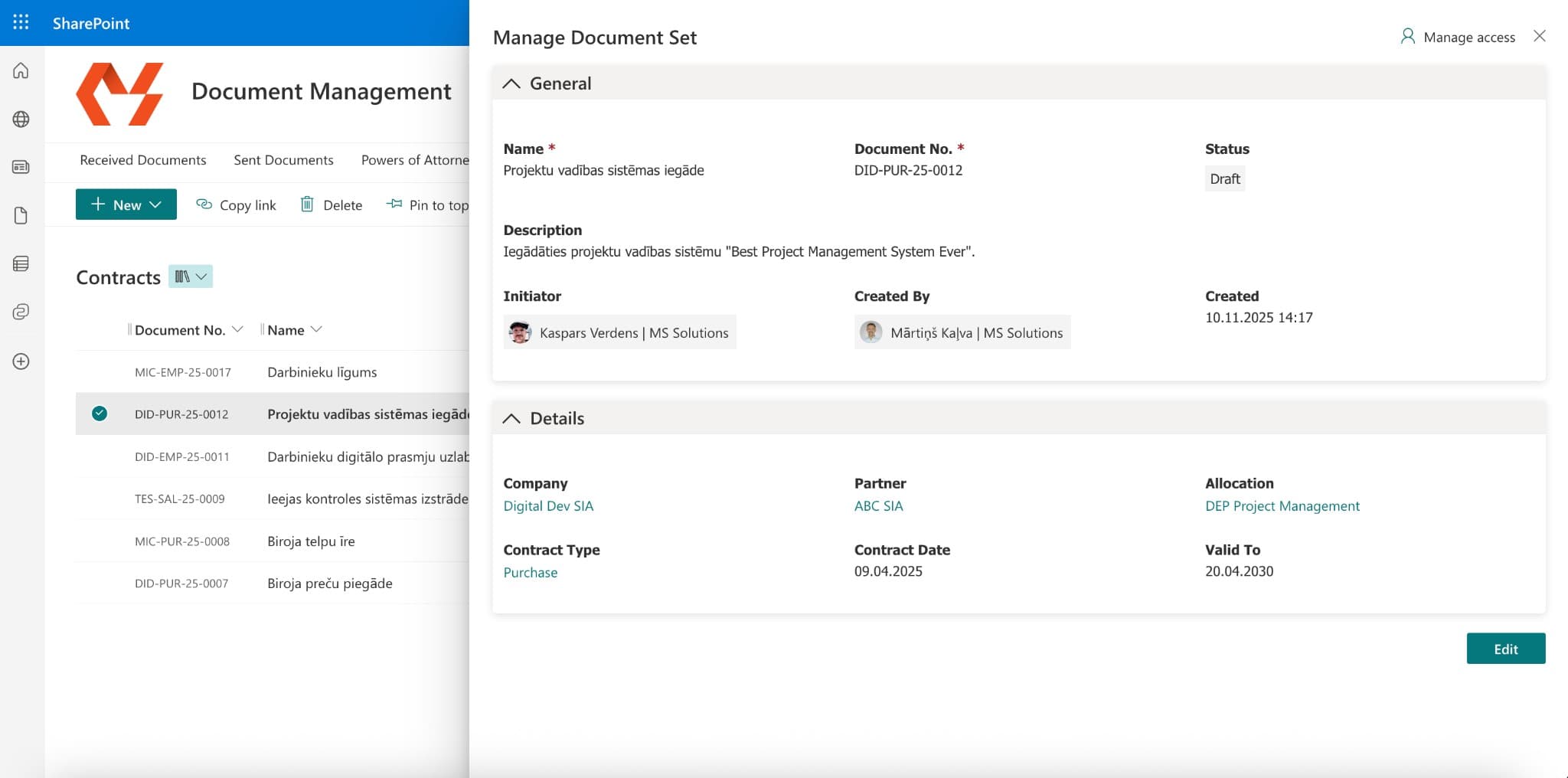
All documents organized by type — contracts, incoming and outgoing correspondence, authorizations, orders, and more. Each entry is like a document folder with all related files: drafts, final versions, signed copies, annexes. Every entry carries all document-related parameters (metadata) — dates, related partner, document subtypes, and more.
Custom Document Cards
Automatic document numbering, configurable document cards, and field display based on conditions. Fully customizable field layout.
Version Control & History
Full version history for every document. See who changed what and when. Restore any previous version. No more duplicates, no more "which file is the latest."
Co-editing
Multiple people editing the same document simultaneously — Word, Excel, PowerPoint. No downloads, no email chains, no overwritten changes. Real-time collaboration directly in the system.
Tasks
Create tasks for any document — review, comment, prepare a response. Multiple assignees with individual responses. Followers for visibility. All tasks in one list — approvals, signing requests, and general tasks together.
Approval & Signing Workflows
Multi-step workflows in any sequence — approval, signing, tasks, notifications, metadata changes. Workflow templates that trigger automatically based on document type, amount, or any other condition. Full process automation.
Electronic Signing
Internal and external signing in one process. eParaksts, Smart-ID, and qualified signatures across the Baltics and EU. External parties receive a request by email, sign in a web portal. Signed document returns to the document management system automatically. Full cycle — submit and wait.
Automated Access Control
Access permissions applied automatically based on metadata — document type, company, department. Each document set can receive unique access. One library can serve multiple entities and companies. Managed centrally through Microsoft Entra.
Related Documents
Link document sets together — contract linked to correspondence, new version to previous, annex to main agreement. Relationships visible from both sides.
Document Templates & PDF
Create documents from company-maintained templates. Convert to PDF, merge multiple documents directly in the library. No downloads, no external tools.
Outlook Add-in
Save emails and attachments directly from Outlook. Create new document entries without leaving your inbox. Documents land where they belong. No manual downloading and uploading.
Search
Find any document by metadata or full document content and text.
We start from a proven base. Configure to your needs.
Full implementation: 2–4 weeks01
Consultation
We understand your processes and document structure.
02
Setup and configuration
Base solution deployed to your Microsoft 365 environment within 1 week. Then — configuration and customization to your processes.
03
Training and handover
Key user training and system handover.
Why not folders or a standard DMS?
| MS Solutions DMS | Folders + Excel | Standard DMS (SaaS) | |
|---|---|---|---|
| Works within your Microsoft 365 | Fully | Partially | |
| Adapts to your processes | Fully — system adapts to you | Limited — you adapt to the system | |
| Your data, your cloud | Your M365 tenant | Local or chaotic | Vendor's servers |
| Per-user fees | No per-user fees | — | Monthly per user |
| Customize without vendor | Full ownership, no IP restrictions | Limited or impossible | |
| Implementation | 1 week base + config (2–4 weeks total) | — | Days (but rigid) |
| Approval and signing | Built in — eParaksts, Dokobit | Manual, via email | Sometimes, extra cost |
What does document chaos actually cost your company?
per employee per month
€156
How we calculate?
Working with 30+ companies, we've observed that employees spend around 30 minutes to 1 hour daily on document tasks — searching, approving, signing, maintaining registers. We calculate using the lower figure. This is conservative. Industry research points to 1.8–2.5 hours per day overall (McKinsey Global Institute; IDC).
- ·Employee net salary: €1,500/month
- ·Total employer cost (incl. all taxes and social contributions): ~€2,500/month
- ·Working hours per month: 168 (21 days × 8 hours)
- ·Cost per hour: €14.88
- ·Document-related time per day: 30 minutes
- ·Monthly hours wasted: 10.5 hours
Employees
Monthly
Annually
48% of employees regularly struggle to find documents they need (Adobe Acrobat, 2023). Nearly 2 in 3 employees have had to recreate a document because they couldn't find the original.
Frequently asked questions
How does document management work within Microsoft 365?
SharePoint in Microsoft 365 already provides document libraries, version history, and full-text search. Out of the box it lacks structured document cards, automated numbering, conditional approval workflows and integrated electronic signing. Read the full article on our blog →
Does the system work with our existing Microsoft 365?
Yes. The solution is deployed directly in your Microsoft 365 environment — your SharePoint, your tenant. No additional infrastructure or new servers needed.
Do we need additional licenses?
No. All users with an active Microsoft 365 Business Basic or Standard license can already use the system fully. No per-user fees.
How long does implementation take?
Base solution is deployed within 1 week. Including configuration, customization, and training — 2–4 weeks.
Can it be customized to our processes?
Yes, fully. Fields, workflows, automations, interfaces — everything is changeable using standard Microsoft tools. You own the solution with no IP restrictions.
What happens to our existing documents?
Your existing documents stay where they are. The new system is deployed alongside, and documents can be gradually migrated or you can continue working with both systems.
What happens if we stop working with MS Solutions?
Nothing changes. The system, data, and all configuration stays in your Microsoft 365 environment. Nothing to export — everything is already in your cloud.
What electronic signing methods does the system support?
The system uses eParaksts and Dokobit integration. This means — all authentication methods used in Latvia (eParaksts, eParaksts mobile, Smart-ID), plus signing for international partners across the Baltics, Nordics, and EU using national eID methods.
Is training included?
Yes. Implementation includes key user training. They can then train other employees within the company.